Attachment Handling
See also
You will have need to read What are IDs? in order to fully handling and downloading attachments.
Getting Attachments
The get_attachments() function requires you to have the assignment ID
of the assignment you want to get attachment details from. You can get
it manually by looking at the URL when you are at the attachment of
your choice, or you can obtain it from Assignments.
Usage:
client.get_attachments(assignmentID)
Note
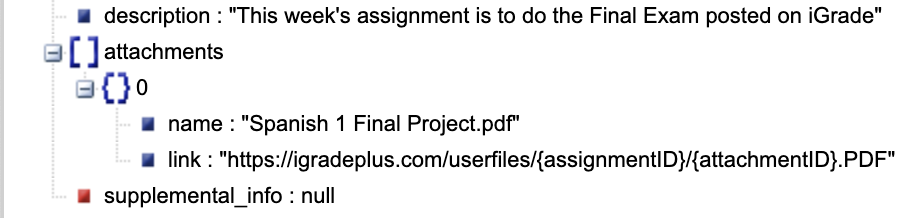
This will not only return assignment attachments, but also the description and supplemental info of the requested assignment.
Using this function will return the following:
Downloading Attachments
As well as obtaining attachments from an assignment, you can also download them using this code:
client.download_attachments(assignmentID, 'data'). # includes optional folder location
This function is a lot more interesting. You first have to specify the
assignment ID, as well as a folder location. The return data is a
list of file locations where you can find the downloaded
attachments.
Note
The folder location is optional. The default
location is data, which is an internal directory that is reset every
time the client is run.